 How-to
What Does Portable Metal Detector Rental for Events Cost?
Last Updated: October 25, 2026
Quick Summary
Portable metal detector rental for events is quoted per event, not at a flat rate, because unit count and mix, rental period, delivery distance, and support all move the price. Walk-through arches cost more per day than hand-held wands, and multi-day terms usually price better per day. Ask for a written quote that breaks out each line item.
- Every screening lane needs at least one hand-held wand, and busy lanes need two.
- A well-staffed lane screens roughly 200 to 300 guests per hour when alarms are infrequent.
- Size your detector count to peak arrival rate, not total attendance, and add a spare arch and wand.
- Confirm the rental period start and end times plus the additional day rate in writing before booking.
- Book four to eight weeks ahead and request written quotes with line items.
Table of Contents
- Walk-Through Metal Detector Rental: What Event Venues Need to Know
- Hand Held Metal Detector for Event Staff: Screening at the Entry Point
- Metal Detector Rental Cost Per Day: What Drives the Quote
- Event Metal Detector Staffing and Setup: Building the Screening Lane
- How Many Detectors Does Your Event Actually Need?
- Venue Layout, Queue Management, and Crowd Flow
- Delivery, Pickup, and Contingency Planning for Rental Equipment
- Reserve Your Portable Metal Detector Rental for Events
- Frequently Asked Questions
Walk-Through Metal Detector Rental: What Event Venues Need to Know
A portable metal detector rental gives venues temporary screening capacity without a capital purchase. At Metal Defender, we supply walk-through and hand-held units on flexible rental terms.
The arch is rarely the bottleneck; power access, lane width, and staff positioning decide how fast your queue moves.
Walk-through metal detector rental is the short-term supply of an arch-style screening unit, delivered and installed for the event. See the portable walk-through metal detector we rent, including its setup specs.
Arch Detector Specifications and Power Requirements
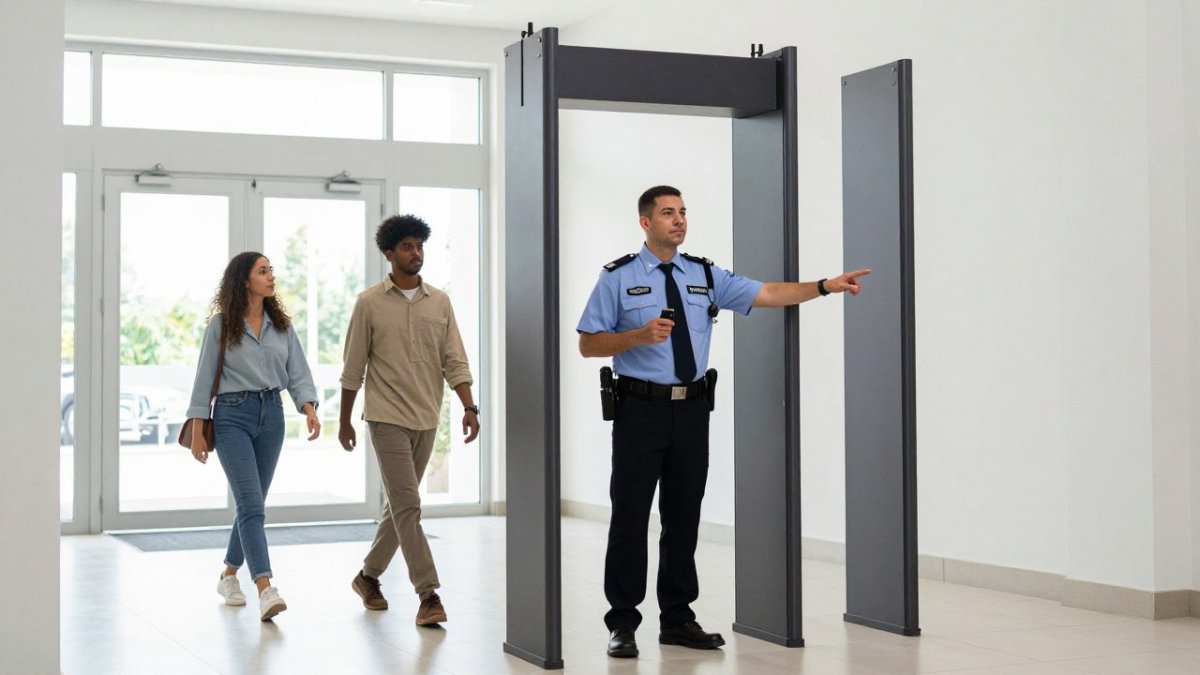
Most arch detectors share a footprint: a portable frame that breaks down for transport, a side-mounted control unit, and a detection zone tall enough for an adult to pass upright.
- Power: most units run on standard mains power, so confirm which circuits near the entry point are free and not shared with catering or lighting loads.
- Footprint: allow clearance on both sides of the arch for staff and for guests who set off an alarm.
- Portability: a collapsible frame moves through standard doorways and sets up without tools, which matters when your entry point is a lobby rather than a loading bay.
Ask for the equipment specifications in writing before you sign. IEEE guidance on electromagnetic compatibility is a useful reference if your venue has other electronic systems nearby that could interfere with detection.
Hand Held Metal Detector for Event Staff: Screening at the Entry Point
A hand-held metal detector is the secondary screening tool staff use when the arch alarms or a guest cannot pass through. Every lane needs at least one; busy lanes need two.
The wand resolves screening: the arch flags a guest, the wand operator finds the source. Without a wand on the lane, every alarm becomes a delay.
Secondary Screening and Alarm Response
Alarm response is a protocol, not an improvisation. Write it down and brief every operator.
- The arch alarms. The operator asks the guest to step to the side, out of the lane.
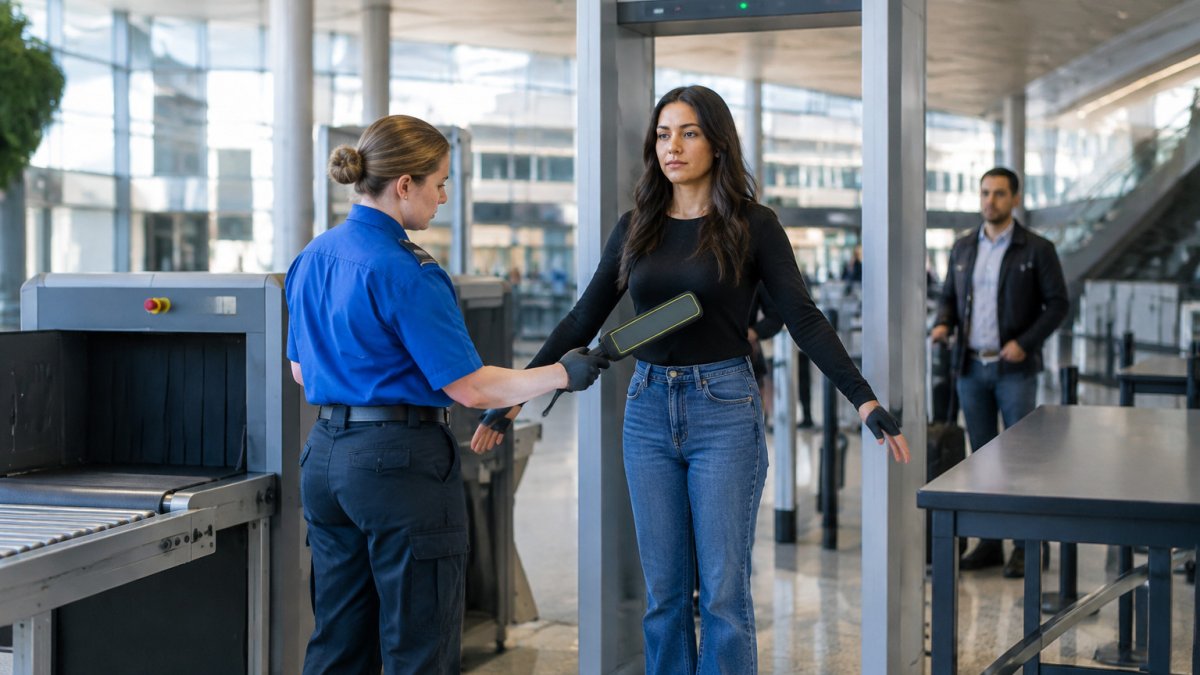
- A wand operator runs the handheld unit along the guest's front, sides, and back.
- If the alarm was a belt buckle, phone, or keys, the guest is cleared and returns to the lane.
- If the wand finds a prohibited item, the guest is escorted to a designated area away from the queue.
False alarms from everyday metal objects are normal. Set sensitivity to catch what you actually care about, and expect belt buckles and jewelry to trigger the arch. Our guide to handheld metal detectors for event staff covers wand selection and technique.
Metal Detector Rental Cost Per Day: What Drives the Quote
Metal detector rental cost per day depends on unit count, rental period, delivery distance, and staffing support. Any supplier quoting a flat figure before asking about your event is guessing.
Pricing is quoted per event. Four things move the number:
- Unit count and mix. Walk-through arches cost more per day than hand-held wands, so the ratio you choose matters.
- Rental period. A one-day event and a five-day festival are priced differently, and multi-day terms usually price better per day.
- Delivery and pickup. Distance from the supplier's depot, site access, and whether someone is on site to receive the equipment.
Ask for a written quote that breaks out each item; a lump-sum figure hides the line you can negotiate.
Rental Period, Additional Days, and Billing
Rental periods are usually quoted in days, with an additional day rate for extensions. Confirm in writing when the period starts and ends and what an extension costs.
Don't assume the clock starts when equipment arrives, it may start on the delivery or event date. Get start and end times in the quote and ask what happens if your event runs long.
For current rates on our walk-through and hand-held units, see our rental options.
Event Metal Detector Staffing and Setup: Building the Screening Lane
Event metal detector staffing and setup decide whether screening runs smoothly or backs up into the street. A lane is a physical layout: the arch, a wand station beside it, a secondary screening area, and a queue that absorbs bursts of arrivals.
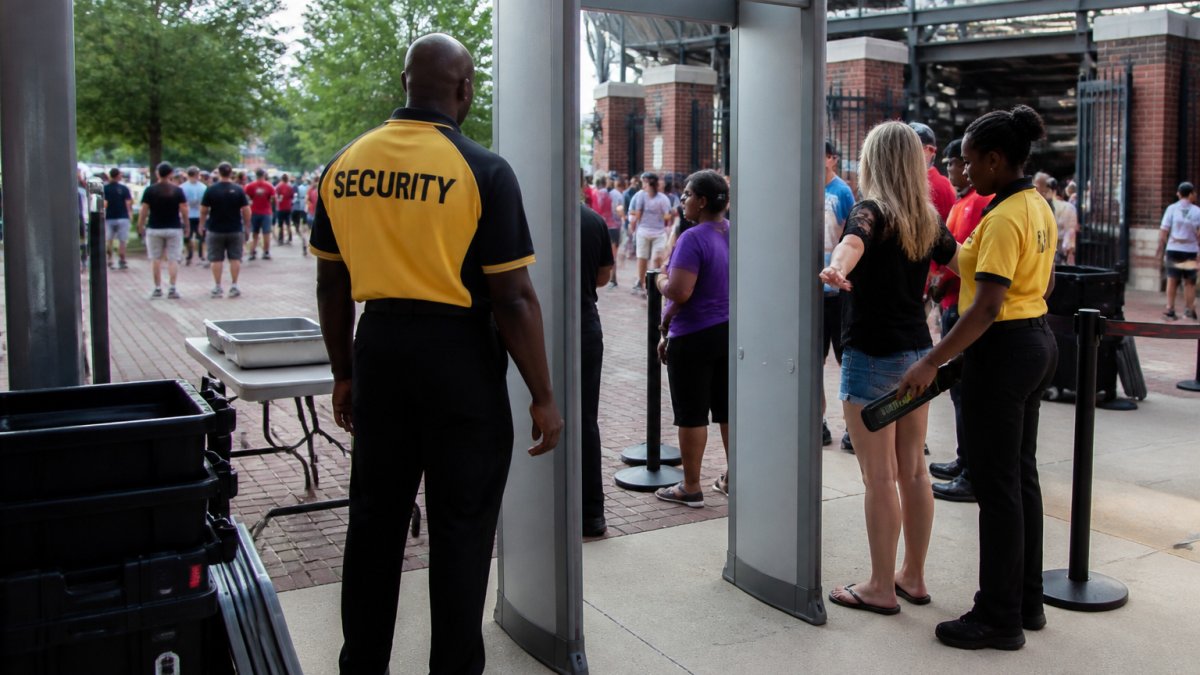
Build the lane in this order:
- Approach: a marked queue that keeps arrivals out of the roadway and away from the screening zone.
- Arch: positioned so guests pass through single file, with clear floor markings on either side.
- Wand station: one step past the arch, staffed by an operator with the handheld unit.
A rental-specific screening lane table gives staff a stable surface for wands and log sheets and keeps the lane organized when arrivals come in waves.
Staffing Ratios and Lane Throughput
Staffing is the variable most organizers underestimate. An arch can pass a guest every few seconds, but real-world throughput is set by the wand station and alarm rate.
A common staffing pattern per active lane:
- One greeter or queue marshal at the approach to keep the line single-file and answer questions before the arch.
- One arch operator to watch the alarm indicator and direct flagged guests to the side.
- One wand operator to run secondary screening on flagged guests.
Busy lanes need two wand operators, because the wand station, not the arch, is usually the bottleneck. If your peak arrival rate exceeds what one wand operator can clear, add a second wand station beside the arch rather than adding a second arch.
Operator Training Curriculum
Complete and document training before doors open. Brief every operator on:
Contact Us For Your Ordering & Rental Needs →
- Equipment familiarization: how to power on, set sensitivity, and confirm the unit is detecting.
- Screening stance and wand technique: the sweep pattern along front, sides, and back, and how to ask a guest to remove items from pockets.
- Alarm response protocol: the exact steps from alarm to resolution, including where the guest steps aside and who takes over.
- Prohibited-item escalation: what counts as a find, who is notified, and where the guest is escorted.
- Privacy and dignity: how to conduct secondary screening respectfully and consistently.
Run a short practical drill: each operator screens a colleague carrying a known metal object and confirms the alarm is handled correctly. This catches misunderstandings before the queue forms.
Calibration, Testing, and Documentation
Calibration and testing confirm the equipment detects at the sensitivity you set. Before doors open, walk a known metal object through the arch and confirm the alarm fires, then test each wand the same way.
Keep a simple log: unit ID, test time, test result, and operator initials. Our article on maintaining security screening equipment calibration covers testing procedures in more depth.
How Many Detectors Does Your Event Actually Need?
The number of detectors you need is set by peak arrival rate, not total attendance. The rush before the headline act or opening session sizes your equipment.
Estimate peak arrivals per hour, then work out how many guests a single lane can screen in that hour with your staffing level.
As a starting point:
Event size | Walk-through arches | Hand-held wands | Notes |
|---|---|---|---|
Small, single entry | 1 | 2 | One wand at the arch, one spare |
Mid-size, two entries | 2 | 4 | One lane per entry, one wand each plus spares |
Large, multi-gate venue | 4 or more | 2 per lane | Size to peak arrival, not total attendance |
If your event has a VIP or staff entrance, count it as a separate lane. It will still need screening.
Venue Layout, Queue Management, and Crowd Flow
Queue management is where most event screening plans fail. The equipment works; the queue backs up into traffic or blocks a fire exit, and the whole operation stalls.
Walk the venue before committing to a layout. Check three things at each entry point:
- Space in front of the arch. Guests need room to line up without blocking a road, a doorway, or an emergency exit.
- Space behind the arch. A guest who alarms needs to step aside without stopping the lane.
- Site access for delivery. The equipment has to reach the entry point, and a portable frame helps, but stairs and narrow corridors still slow delivery.
Keep crowd flow one-directional where possible. Mixing arrivals and departures through the same opening creates confusion and slows screening. If you cannot separate them, mark the lanes clearly and staff the junction.
Delivery, Pickup, and Contingency Planning for Rental Equipment
Delivery and pickup are part of the rental, not an afterthought. Confirm the delivery window, who receives the equipment, and when pickup happens. The strongest plans treat delivery, setup, testing, operation, and return as one timeline with named owners.
End-to-End Rental Planning Timeline
Use this timeline as a checklist. Adjust the lead times to your event size and supplier, but keep the sequence.
When | Action | Owner |
|---|---|---|
4-8 weeks before | Confirm event date, peak arrival estimate, entry point count, and delivery address; request written quotes with line items | Event organizer |
2-4 weeks before | Book equipment and confirm rental period start/end, additional-day rate, and delivery window | Event organizer and supplier |
1-2 weeks before | Walk the venue; confirm power circuits, lane footprints, queue space, and delivery route | Event organizer and venue |
1 week before | Confirm staffing roster, training session time, and spare-unit plan | Security lead |
Day before | Receive delivery; stage equipment; confirm all units power on | Supplier and venue contact |
Morning of event | Set up lanes, calibrate and test every unit, run operator drill, log results | Calibration lead |
During event | Monitor queue, re-test moved units, log incidents, rotate staff | Supervisor |
After event | Power down, pack, confirm pickup window, and reconcile rental period | Event organizer and supplier |
Delivery Window and Site Access
Delivery is a scheduled event, not a drop-off. Confirm:
- The delivery window in writing, including the earliest and latest arrival times.
- Who receives the equipment on site and how they can be reached.
- The route from the loading area to each entry point, including stairs, elevators, and door widths.
A portable frame helps, but stairs and narrow corridors still slow delivery. If your entry point is on an upper floor, confirm elevator access and book it in the delivery window.
Contingency Planning: Triggers and Responses
Contingency planning covers the failures that actually happen. For each risk, name the trigger and response before the event.
- An arch goes down. Trigger: unit fails the morning test or stops alarming mid-event. Response: swap in the spare unit, re-test, and log the swap. Keep a spare unit on site, or confirm a replacement can reach you during the event.
- A wand fails. Trigger: wand does not alarm on the test object. Response: replace from the spare pool; spare wands are cheap insurance against a closed lane.
- Staff no-show. Trigger: operator missing at shift start. Response: call in a trained reserve. Train more operators than you need for the lane count.
Ask your supplier what equipment support looks like during the event, not just at delivery. A clear answer here tells you more about a supplier than any brochure.
Pickup and Return
Confirm the pickup window and who is on site to release the equipment. Before pickup, power down units, pack accessories, and reconcile the rental period against the quote. If your event ran long, confirm the additional-day charge in writing at pickup rather than discovering it on the invoice.
Reserve Your Portable Metal Detector Rental for Events
Booking early is the difference between getting the equipment you need and settling for what is left.
When you request a quote, have four things ready: event date and duration, peak arrival estimate, entry point count, and delivery address. With those, a supplier can size and price the rental properly.
At Metal Defender, we supply walk-through and hand-held detection units on flexible rental terms, with delivery, setup, and support arranged around your event.
Frequently Asked Questions
How much does it cost to rent a metal detector for a day?
A daily rental rate depends on the unit type, the number of detectors, delivery distance, and how long you keep the equipment. Walk-through arch detectors cost more per day than handheld wands because of size, transport, and power needs. Most quotes bundle delivery, pickup, and a minimum rental period, with an additional day rate for extensions. Request a written quote that itemizes units, delivery, setup support, and any staffing or training add-ons so you can compare total cost rather than a headline daily figure.
Should an event rent handheld or walk-through metal detectors?
It depends on entry volume and the level of screening you need. Walk-through detectors screen attendees quickly at a fixed entry point and suit high-throughput public events. Handheld wands are portable, work well for secondary screening when an arch alarms, and fit smaller venues or roving checks. Many events rent both: arch detectors at the main screening lane and handheld units for event staff handling alarm responses, VIP entrances, or backup lanes.
How many metal detectors does an event need?
Work backwards from attendee throughput and your busiest arrival window. Estimate how many guests arrive in the peak hour, then divide by the realistic screening rate per lane, allowing time for bag checks and secondary screening. Add at least one backup lane or handheld unit for breakdowns and surges. Venue layout matters too: separate entrances, staff access points, and re-entry all affect the count. A rental provider can help you size the order once you share expected attendance and door times.
How far in advance should I arrange a portable metal detector rental for events?
Reserve as early as your event date and venue contract allow, especially for large events or peak season when rental inventory is tight. Confirm availability for the exact dates, lock in delivery and pickup windows, and schedule setup and operator training before doors open. Build a timeline that covers site access, power checks, calibration and testing, and a walkthrough of the screening lane. Early booking also gives you time to adjust quantities if attendance estimates change.