 Ultimate guide
The Complete Guide to Security Detector Maintenance and Support
Last Updated: October 25, 2026
Quick Summary
Security detector maintenance is the scheduled work of cleaning, testing, calibrating, and documenting a metal detector so it reliably detects threats and stays quiet when it shouldn't. Daily staff checks catch most developing faults, while calibration, internal inspection, and repairs belong to a qualified technician. Keep a log tying every visit, calibration, repair, and test-piece result to a date and unit.
- Daily checks include passing a known test piece through the arch and confirming alarm.
- Staff should own cleaning, visual inspection, daily test-piece verification, and log keeping.
- Technicians should own calibration, internal inspection, sensitivity verification, and control-panel repairs.
- False alarms usually trace to environmental interference, moving metal, electrical noise, or sensitivity set too high.
- Pull a unit from service immediately if it stops alarming on a test piece.
Table of Contents
- Why Security Detector Maintenance Decides Whether Your Checkpoint Works
- What a Preventive Maintenance Checklist for Metal Detectors Should Cover
- Walk-Through Metal Detector Calibration and Performance Testing
- Metal Detector Troubleshooting by Symptom
- Security Screening Equipment Repair and Technical Support
- In-House Checks vs Qualified Technician Work: Where to Draw the Line
- Planning Your Support Coverage, Service Response, and Uptime
- Requesting a Maintenance and Rental Plan for Your Sites
- Frequently Asked Questions
Why Security Detector Maintenance Decides Whether Your Checkpoint Works
A walk-through metal detector is a precision instrument that happens to look like a doorway.
Here is the uncomfortable truth most operators learn the hard way. A detector that powers on and beeps is not the same as a detector that works.
Below, we'll show you exactly what a real maintenance routine looks like, from daily staff checks to annual technician work, and how to plan support so a fault never takes your checkpoint offline for long.
What a Preventive Maintenance Checklist for Metal Detectors Should Cover
A preventive maintenance checklist for metal detectors should split work by who performs it and how often: daily and weekly tasks your own staff can run, and monthly and annual tasks that belong to a qualified technician.

Daily and Weekly Checks Your Own Staff Can Run
Daily checks take minutes and catch the majority of developing faults.
- Power on and confirm the unit completes its self-test without error codes
- Pass a known test piece through the arch and confirm detection and alarm
- Wipe down the arch panels and check the entrance and exit areas for obstructions
Watch out: placing a metal display rack or a rolling cart beside the arch is one of the most common causes of unexplained alarms. The detector is doing its job; the environment changed.
Monthly and Annual Tasks for a Qualified Technician
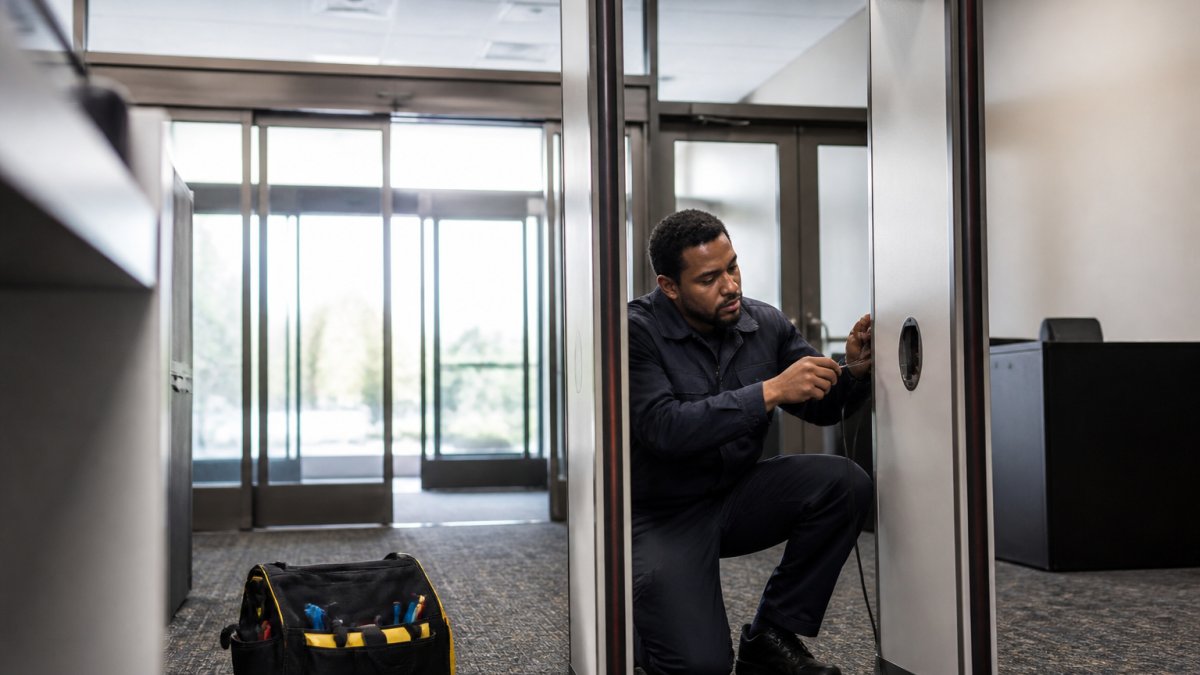
Monthly and annual work covers what staff cannot safely or legally verify: internal inspection, sensitivity verification against test standards, calibration, and performance records. A technician should inspect the control panel and power supply, verify detection across the full height of the arch, check all program settings against the site's operational requirements, and document results. Annual work typically includes a deeper inspection of electronic components, verification that the unit still meets its original performance specification, and a review of whether the site's threat profile has changed enough to warrant reprogramming.
Walk-Through Metal Detector Calibration and Performance Testing
Walk-through metal detector calibration is the process of adjusting detection sensitivity and discrimination settings so the unit reliably alarms on prohibited items while ignoring everyday metal, then verifying that performance with test pieces and recording the results. Calibration without records is just an opinion. The record is what proves your checkpoint worked on the day it mattered. Standardizing these detector calibration steps ensures that every technician maintains the same level of precision when fine-tuning equipment for specific environmental conditions.
Test Pieces, Detection Modes, and Pass/Fail Records
Every site should hold a set of test pieces representing the threats it actually screens for, plus representative benign items such as a belt buckle, keys, and a phone.
For model-specific calibration procedures and setup steps, our XLD troubleshooting and calibration guides walk through the settings menu and sensor checks. Teams responsible for keeping records current will find more depth in our guide to maintaining security screening equipment calibration.
Metal Detector Troubleshooting by Symptom
Metal detector troubleshooting starts with the symptom, not the circuit board. Most reported faults fall into three groups, and each points to a different cause.
False Alarms, Missed Detections, and Power Faults
Missed detections are the dangerous ones.
Power faults range from a loose cable to a failing supply. Check the obvious first: cable, plug, outlet, and any surge protection.
For a fault you cannot clear, our troubleshooting request form lets you submit the details so the issue can be resolved faster.
Most reported detector faults fall into three groups, and each points to a different cause.
| Symptom | Likely cause | What to do |
|---|---|---|
| False alarms | Environmental interference, moving metal, electrical noise, sensitivity too high | Reduce sensitivity in steps and retest |
| Missed detections | Drifted sensitivity, failed sensor, unlogged programming change | Pull the unit from service immediately |
| Power faults | Loose cable, failing supply | Check cable, plug, outlet, surge protection; call support if self-test fails |
Security Screening Equipment Repair and Technical Support
Security screening equipment repair should be handled by technicians who know the specific model, and technical support should be reachable before a fault becomes an outage. The worst outcome is not a broken detector, it is a broken detector with no path to repair and no one answering the phone. What separates a useful support relationship from a phone number on a sticker is whether the support team can triage by symptom, decide remote versus on-site, and tell you what to do with the checkpoint while the unit is down.
How Detector Repair Triage Actually Works
Repair triage follows a predictable sequence, and knowing it helps you get to a fix faster.
- Confirm the symptom against a test piece. A report of "it keeps beeping" is different from "it fails to alarm on the test piece." The first is usually environmental or sensitivity-related; the second is a safety-critical fault. Run the test piece before you call so the support team knows which path to take.
- Rule out the environment. New metal fixtures, rolling carts, shelving, rebar in a poured floor, or a nearby electrical panel can all change detector behavior without any hardware fault. Support will often ask what changed in the space recently before asking about the unit.
- Check power and self-test. A unit that will not complete self-test has a power, control-panel, or sensor fault that generally requires technician work. A unit that completes self-test but behaves inconsistently points toward calibration or interference.
- Decide remote versus on-site. Many sensitivity and programming issues can be resolved remotely if the unit supports it and someone on site can run test pieces while a technician talks them through settings. Internal inspection, power-supply repair, and sensor replacement require on-site work.
- Document the resolution. The repair record should note the symptom, the cause, the fix, and the test-piece results after the fix. That record is what protects you at the next audit and what shortens the next repair.
What to Have Ready When You Contact Support
Support moves faster when you arrive with information. Have these ready:
Contact Us For Your Ordering & Rental Needs →
- Model and serial number
- A clear description of the symptom and when it started
- What you already checked and the results
That list turns a vague "it's beeping wrong" call into a diagnosis.
Remote Support, On-Site Repair, and What Each Covers
Remote support is best suited to settings review, sensitivity adjustment, programming questions, and interpretation of error codes. It depends on someone at the site being able to run test pieces and report results while a technician guides them.
For a fault you cannot clear, our troubleshooting request form lets you submit the details so the issue can be resolved faster.
In-House Checks vs Qualified Technician Work: Where to Draw the Line
Staff should own cleaning, visual inspection, daily test-piece verification, and log keeping. Qualified technicians should own calibration, internal inspection, sensitivity verification against standards, and any repair involving the control panel or power supply. The line is simple: if the task changes how the detector detects, it belongs to a technician. If it confirms the detector still detects, staff can do it.
Planning Your Support Coverage, Service Response, and Uptime
Uptime is a planning decision, not a repair outcome. Sites that stay online during a fault are the ones that decided in advance what would happen: who they call, how fast a response they need, and whether a spare or rental unit covers the gap. When you define service response expectations, put them in writing. Ask what counts as on-site service versus remote support, what the response time commitment is, and what happens to your screening operation while a unit is down.
The Coverage Questions to Ask Before You Sign
Most support plans differ on a handful of terms. Get answers to these in writing before you commit:
- Response time versus resolution time. Response time is how quickly someone acknowledges and begins work; resolution time is how long until the unit is back in service. A fast response with no resolution commitment can still leave you offline for days.
- Business hours versus extended coverage. If your checkpoint runs during events, early shifts, or weekends, confirm whether support is available then. A plan that only covers weekday business hours leaves your busiest screening periods exposed.
- Remote versus on-site inclusion. Clarify whether remote support is unlimited or counted, and whether on-site visits are included or billed per visit.
Matching Coverage to Your Screening Risk
Coverage should scale with what happens when a checkpoint goes down. A single entrance at a small venue can often absorb a short outage by shifting to hand-held screening. A multi-lane event entrance or a warehouse gate that controls access to a secure area cannot. For high-consequence checkpoints, the plan should include a defined path to temporary capacity, whether that is a spare unit on site or a rental arranged in advance.
Documenting Uptime and Maintenance Records
Uptime claims are only credible if they are recorded. Keep a simple log that ties each maintenance visit, calibration, repair, and test-piece result to a date and a unit. That log does three things: it shows auditors and inspectors that the checkpoint was maintained, it gives support technicians the history they need to diagnose faster, and it reveals patterns, such as a unit that needs recalibration more often than its neighbors, which may point to an environmental issue worth fixing.
To discuss coverage for your sites directly, our contact page is the place to start the conversation.
Requesting a Maintenance and Rental Plan for Your Sites
The most practical way to protect uptime is to combine a maintenance schedule with a coverage option for the moments when equipment is out of service. Metal Defender builds walk-through and hand-held detectors for venues, schools, warehouses, and government facilities, and we support them with flexible acquisition through direct sales, leasing, and rentals. If you need temporary screening capacity for an event or a backup while a unit is serviced, our walk-through metal detector rental options let you arrange coverage without a capital purchase.
Frequently Asked Questions
How often should security detectors be inspected and maintained?
Run a functional check at the start of every shift, a walk-through test with known test pieces daily, and a full inspection monthly. Walk-through metal detector calibration and sensitivity verification should be done at least quarterly, and more often at high-traffic sites where knocks, crowds, and constant power cycling shift settings. Book an annual service visit for internal inspection, wiring checks, and firmware updates. Log every check with date, tester, and result so you can show an auditor a continuous record rather than a single certificate.
What does security detector maintenance typically include?
A preventive maintenance checklist for metal detectors covers the control panel, power supply, and cabling, plus a physical check of side panels, base plates, and fasteners. Technicians clean sensors and infrared people counters, verify alarm audio and visual indicators, test detection zones with certified test pieces, and confirm sensitivity settings match your screening policy. Access control links, intrusion detection integration, and alarm system relays should be tested too. The visit ends with a written report showing equipment condition and any parts replaced.
What should you do if a walk-through metal detector gives false alarms?
Start with metal detector troubleshooting basics: confirm the unit is on a level surface away from moving metal, check that no nearby door, fan, or conveyor is running, and verify the sensitivity setting has not been changed. Ask the person to remove belts, keys, phones, and steel-toe boots, then retest. If alarms continue with a known-clean test piece, the fault is in the equipment. Log the times and conditions, then contact technical support with your model and serial number rather than turning sensitivity down, which weakens detection.
When should a security detector be repaired or replaced?
Repair is the right call when a single component fails, such as a power supply, alarm beacon, or cable, and the unit still passes calibration after the fix. Replacement makes more sense when faults recur across multiple zones, spare parts are no longer available, or the unit cannot hold sensitivity through a full test cycle. At that point, downtime and repeated service calls usually cost more than new equipment. Ask your provider for a written assessment of equipment condition before deciding.
What information should you provide when contacting technical support?
Give the model and serial number, the site and checkpoint location, and a clear description of the symptom with the time it started. Note what you already tried, whether the unit powers on, and whether the fault is constant or intermittent. Attach photos of the control panel display and any error codes. For security screening equipment repair requests, confirm your site access hours and who will meet the technician. Complete details cut fault diagnosis time and often let support resolve the issue remotely before an on-site visit is booked.
Can security detectors be maintained in-house, or do they require a technician?
Your staff can handle the daily side: power-on checks, walk-through tests with test pieces, visual inspection, cleaning, and logging results. Walk-through metal detector calibration, internal inspection, firmware updates, and any repair work should go to a qualified technician. In-house calibration without certified test pieces creates a false sense of security, because the unit can pass your own check while missing banned items. Split the schedule clearly so staff know the point where they stop and call for support.
How can preventive maintenance reduce security detector downtime?
Most detector failures start small: a loose cable, a dirty sensor, a failing power supply. A scheduled preventive maintenance checklist for metal detectors catches those before they take a lane offline during an event or school arrival. Planned visits can be scheduled outside peak hours, while breakdowns never arrive at a convenient time. Sites that keep a maintenance schedule and a spare hand-held wand on hand usually keep screening running while a repair is arranged, protecting uptime and throughput at the gate.
Do rental and leasing options include maintenance and technical support?
That depends on the agreement, so confirm it in writing before you sign. Ask what service response time is included, whether preventive maintenance visits are part of the rental period, who pays for parts, and how quickly a replacement unit arrives if a detector fails. For event venues and multi-site operations, a rental plan with support built in removes the capital cost and the repair logistics in one step. Request the support terms alongside the quote so both are decided together.
Screening equipment only protects you when it is verified, maintained, and backed by support you can reach. Metal Defender supplies walk-through and hand-held metal detection with flexible rental and leasing options, optional accessories, and support built around your operational requirements. Get started with Metal Defender and keep every checkpoint running with equipment you can trust and a support path you can count on.